First Run of the AWS Well-Architected Agent Preview
I spun up an agent profile for the AWS Well-Architected Agent preview on the first day it appeared in my console, mostly because I had a client review already half finished and wanted to see whether the thing would embarrass me. Profile creation took about ten minutes. I scoped it to a sandbox account with a handful of EC2 instances, an ALB, and two RDS databases, picked cost optimization and resilience as the pillars that mattered, and provisioned the customer-managed IAM role the agent needs to read configurations and utilization metrics. Then I waited.
And waited, because recommendations are generated within 24 hours of profile creation. There is no live progress indicator worth watching. You get an empty dashboard and a promise.
The announcement from Channy Yun (opens in new tab) describes the service as AI that “analyzes your infrastructure, understands unique business goals, and delivers contextual recommendations with ready-to-implement fixes,” across 65+ AWS services. That is a large claim, and my expectation walking in was narrower. Automated reviews are good at finding resources that violate a rule. They are much worse at knowing whether the violation was deliberate.
Here is the analogy I keep coming back to, because I run a small VPS business alongside my day job. A monitoring alert that says “MySQL slow queries spiking on node 4” is useful and completely generic. Knowing that the cause is one customer’s WordPress plugin doing an unbounded wp_options autoload query at 2am is the actual work. The first thing a tool hands you for free. The second thing requires understanding context that lives in someone’s head.
I expect this agent to live much closer to the first category than the second, at least in preview. The goal-aligned prioritization is the interesting part, because declaring “cost is my top pillar” should reorder findings in a way a flat checklist never could.
What makes it worth the twenty minutes is the Terraform path. If the architecture review can read an IaC project and hand back a diff that aligns with a Well-Architected lens, that is a real review artifact, not a dashboard nobody opens twice. If it just returns paragraphs telling me to enable encryption at rest, I already have three tools that do that and I do not need a fourth. The next 24 hours were going to tell me which one this is.
Background
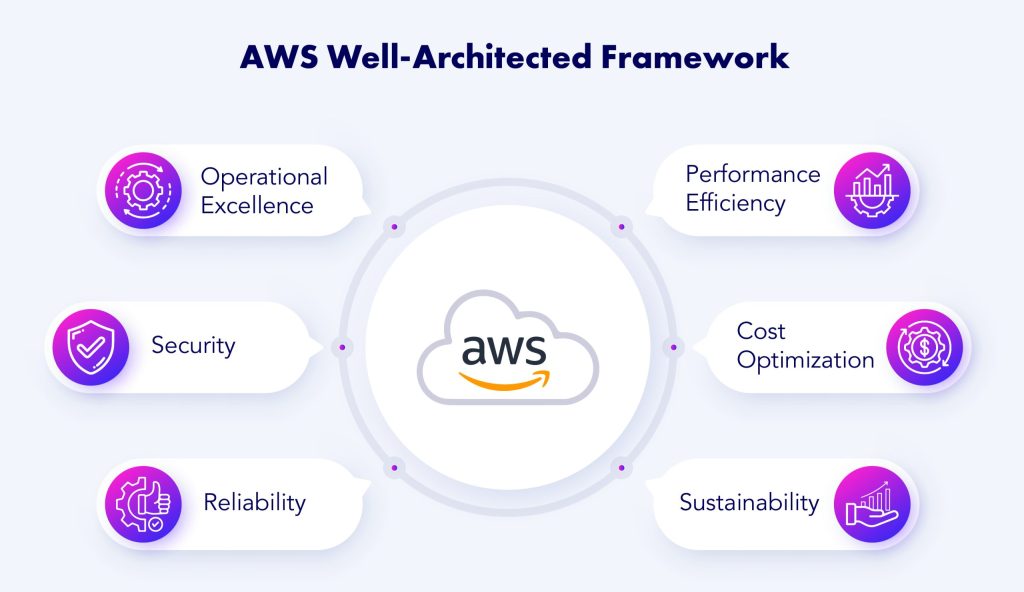
The Well-Architected Framework itself has been around since 2015, and the review process it prescribes has not changed much since. You open the Well-Architected Tool, define a workload, and then answer a few hundred questions across six pillars. Each question gets one of four answers: none, some, many, or not applicable. The tool then hands you back a list of high risk issues based on the questions where you marked “none” or “some.”
The structural weakness there is that everything is self-reported. If I say my workload has automated backups and it does not, the tool believes me. The review is only as honest as the person filling it out, and when a client is paying for a review, there is quiet pressure to mark things as done that are half done. I have sat in those sessions. The output is a document, and the document goes into a shared drive and nobody opens it again until the next audit cycle.
Trusted Advisor sits on the other end of the spectrum. It is automated and genuinely useful, but its checks are narrow and mostly service-level: idle load balancers, security groups open to 0.0.0.0/0, approaching service quotas, unassociated Elastic IPs, that sort of thing. It does not know what your application does or which of those findings matters more to you. Security Hub aggregates findings from GuardDuty, Inspector, Config and Macie, but it is organized around security posture, not around your business goals, and it has no opinion about cost or resilience trade-offs.
So the gap was never detection. Between Trusted Advisor, Security Hub, Compute Optimizer and Cost Explorer, there is no shortage of things telling me what is wrong. The gap is prioritization with context, and the fact that none of those tools read my Terraform.
I have run manual framework reviews on client infrastructure where the friction was never the questions. It was the two weeks of scheduling, the access requests, and then reconciling what the client told me against what the account actually looked like. The agent’s promise is that it does the reconciliation itself, using utilization metrics and resource configuration instead of my memory of a meeting. That is the part I wanted to test.
What’s happening now with AWS Well-Architected Agent
The entry point is the Well-Architected console, not a standalone service page. You choose Get started with Well-Architected Agent, and that creates an agent profile. The profile is where you define scope: which AWS accounts and Regions the agent can look at, which pillars you want ranked (cost optimization, performance, resilience, security), and, separately, what your actual goals are within each pillar. Scope and intent are two different form fields, which is the detail that separates this from every dashboard I already have open.
Access is a customer-managed IAM role that you provision and hand to the agent. It reads resource configurations, utilization metrics and application topology. Nothing else happens until that role exists, and the announcement is explicit that findings take up to 24 hours to appear after profile creation. I would plan for the full window rather than sitting and refreshing the console.
When recommendations do land, they arrive at three levels. The first is per-resource, with a specific dollar impact where one applies and step-by-step remediation attached. The second consolidates findings across multiple resources scoped to a single application, which is the level most people actually act on. The third is architectural: broad pattern-level recommendations that come with IaC code changes rather than a list of console clicks. The agent claims coverage across 65+ AWS services.
There is a second path that has nothing to do with a live account. You upload a .zip containing a Terraform, CloudFormation or CDK project through Conduct architecture review, pick a Well-Architected lens, and the agent reviews the workload before it exists. That is the pre-deployment case, and it is the one I care about most because fixes are free there.
Remediation itself is not prescriptive in format. Each finding offers a console walkthrough, updated IaC template changes you can paste into your codebase, or AWS CLI commands, depending on what the resolution type suits. There is also API access and an AWS MCP Server path if you would rather pipe findings into an existing AI coding tool than work in the console.
Reading the announcement post (opens in new tab), the framing is that recommendations refresh periodically as your environment changes, so this is meant to be a standing profile rather than a one-off audit.
Is AWS Well-Architected Agent a replacement for Trusted Advisor?
The overlap is real, and it is the boring part. An unassociated Elastic IP address, an idle RDS instance, a security group exposing port 22 to 0.0.0.0/0, a root account without MFA, an EBS volume that has not been snapshotted in a month. Trusted Advisor has flagged all of that for years, and it flags it without asking you to provision an IAM role and wait a day for output. The free tier covers seven core checks on any account, and the full catalogue comes with Business or Enterprise support.
Trusted Advisor is a check engine. It runs a fixed catalogue against resource state, returns a status, and links you to a doc. What it cannot do is know that the instance it labelled underutilized is a warm standby your recovery target depends on, or that the open port is the only thing keeping a legacy payment callback alive. It has no concept of your application as a unit, and apart from the savings estimates attached to some cost checks, it does not tell you what a fix is worth to you specifically.
The agent’s advantage is that it reads configuration and utilization together, scopes findings to an application, and produces remediation as an IaC diff rather than a hyperlink. The cross-pillar trade-off piece is the part Trusted Advisor was never built for. Downsizing an instance saves money and costs you resilience, and something has to say that out loud in one place. I have had to explain that trade-off in a client meeting after running two separate tools and stitching the results together in a spreadsheet, which is exactly the friction the agent is meant to remove.
For a five-server account, though, that is a lot of setup to catch problems Trusted Advisor already caught. My take is to not switch yet. Run both in parallel on the same account for a few weeks and watch where they disagree. If the agent surfaces something Trusted Advisor missed that costs you actual money, you have your answer. If it reproduces the same idle-resource list with nicer write-ups, leave it in preview and wait for the pricing page.
I expect AWS to absorb the classic Trusted Advisor checks into this agent over the next few releases. Maintaining two recommendation engines that read the same account state makes no commercial sense, and I would rather the older one become a data source than a competing product.
What it means in practice
Declaring cost optimization as your top pillar visibly reshuffles the list. A finding with a dollar figure attached to an idle resource climbs above a security hardening item that has no price tag, and the write-up explains that ordering against your stated goal. Flip the goal to resilience and the same account produces a different first page. That is genuinely different behaviour from a static checklist, and it is also the part I trust least, because the prioritization is only as good as the goal you declared. If you pick cost optimization because it sounds responsible and your actual constraint is a compliance audit in six weeks, the agent will confidently point you at the wrong thing first.
The remediation packages are closer to copy-paste ready than I expected for the IaC path, with one large caveat. The diff knows the resource and the recommended value; it does not know your module versions, your naming conventions, whether that instance type is pinned for a licensing reason, or that the same resource is being overridden by a second template somewhere in the repo. Treat the generated change the way you would treat a pull request from a competent contractor you have not worked with before. Read it, then merge it.
I want to run this against a multi-account setup before I believe the application-scoped findings. Two things to watch: whether the agent can actually see utilization across member accounts with the roles you have provisioned, and what it does when CloudWatch retention is short or the detailed monitoring agent was never installed on the instances. Utilization metrics that are missing are not the same as utilization metrics that are low, and an agent that conflates the two will tell you to downsize a box that is only quiet because nobody is measuring it.
An analogy from the hosting side: this is like an uptime monitor that reports a site as healthy because it never got a response to test against. Absence of data is not evidence of health.
The gap that stays open is the one a senior architect fills. The agent reads the account. It does not know that your largest customer has a contractual response window, that the team doing the migration is two people and one of them is on leave in November, or that the workload is being retired next quarter anyway. Those considerations change the answer more often than the technical findings do.
What to expect next from AWS Well-Architected Agent
The preview label matters here. Profile creation in the console is straightforward, and the 24-hour wait for the first recommendations is stated up front, but a few things around scope definition feel unfinished. When I selected accounts and Regions to monitor, the interface gave me less feedback than I wanted about what happens if a service the agent needs to reason about lives in a Region I did not select. Does it silently skip that resource, or does it flag the gap? I could not tell from the preview, and that ambiguity is the kind of thing that produces a false sense of coverage six months later.
Lens selection during the pre-deployment review is similar. You upload a zip and pick a Well-Architected lens, which is a clean workflow, but the output depends heavily on how much context you have attached through application definitions and tags. An organization that has never invested in a consistent tagging standard will get thinner findings than one that has, and the preview does not do much to warn you about that.
Pricing is the open question I keep coming back to. The announcement (opens in new tab) covers capabilities and the API path, and AWS has not published a cost model for the agent itself. For an account spending forty dollars a month on hosting, any subscription attached to this is a hard sell regardless of how good the findings are. My expectation, and it is only an expectation, is that AWS folds the agent into an existing support tier or prices it per account analyzed, because per-resource pricing would penalize exactly the messy, sprawling accounts that need the review most.
On the Terraform side, I do not think this replaces Checkov or tfsec in the near term. Those run in CI in seconds and fail a build. The agent reviews an uploaded artifact and returns findings on a human timescale. What I expect to happen over the next year is a split: policy-as-code tools hold the fast, deterministic gate, while the agent handles the judgment calls that a static scanner cannot express, like whether a multi-AZ setup is overkill for a workload that genuinely tolerates an hour of downtime.
The piece I want to see before trusting any of it at scale is what the API returns for a scope that has partial metrics coverage. That answer will tell me whether the recommendations are worth acting on or worth reading with a caveat attached.
Getting started before the preview window closes
The setup itself is short. In the AWS Well-Architected console you pick Get started with Well-Architected Agent, name the profile, choose which accounts and Regions the agent can look at, and select the pillars you care about. Cost optimization, performance, resilience, and security each take a goal statement, and that statement is what the prioritization gets ranked against later, so it is worth thirty seconds of actual thought instead of clicking through. Setting cost optimization as the top goal on an account where the real risk is a single-AZ database is how you end up with a tidy list of idle Elastic IPs and nothing about the outage waiting for you.
Then you provision the customer-managed IAM role the agent assumes to read resource configurations, utilization metrics, and application topology. Create the profile and the role in the same sitting, because nothing generates until both exist. Recommendations appear within 24 hours.
Two things I would do on the first pass. First, run this against a non-production account, not the one taking customer traffic. The role is read-oriented, but you are still handing an automated system a view of your whole account, and I want to see what it does with that view on a place where a bad IAM policy is a five-minute fix rather than an incident. Second, upload one Terraform project through Conduct architecture review and pick the lens deliberately. The zip has to contain the project or repository files, and the lens you choose determines which questions get asked of the code.
After the first batch of findings lands, do the comparison that actually tells you something. Put the agent’s output next to the notes from your last manual Well-Architected review of the same workload. Count how many findings overlap, and read the ones that do not carefully, in both directions. Anything the agent caught that you missed is the value. Anything you caught that it missed tells you where the contextual layer still falls short, and whether you are looking at a tool that supplements your review process or one that is not ready to.
If the overlap is high and the misses are the kind you would have flagged anyway, roll it out to the production account and watch what it does with real utilization data.