Intro
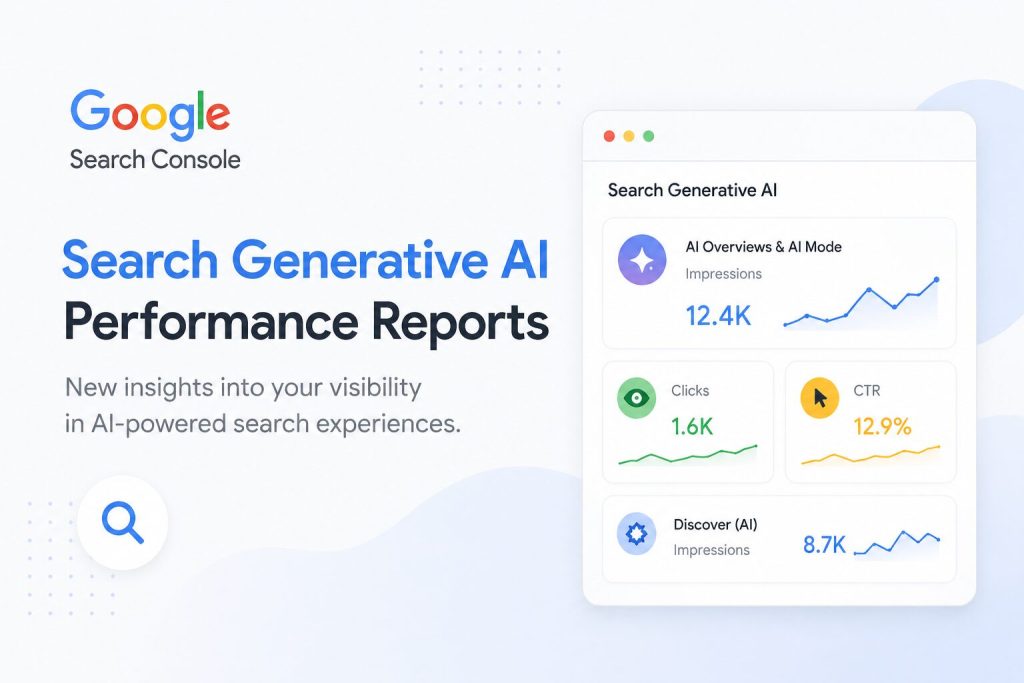
Google has rolled out two new controls inside Search Console that SEOs have been waiting on since the early AI Overview experiments: an AI performance filter under the Search Results report, and a separate Search generative AI traffic segment in the chart view. Both are now available globally, which means you no longer have to beg for a property invite or stare at a “not available in your region” message (Search Engine Land (opens in new tab)).
That is a meaningful shift, because up until now Google treated AI search traffic as a side experiment. With this rollout it is now a first-class filter sitting in the same row as Web, Image, Video, and News. If you are running a content site, a SaaS, or a client portfolio, you finally have a sanctioned way to answer the question every stakeholder has been asking: are AI Overviews eating my clicks?
The honest reality is that even with this data, the numbers will be incomplete. Google is exposing AI impressions and clicks, but not conversions, not landing page breakdowns beyond what Search Console already shows, and not a clean separation between AI Overviews and AI Mode. We will go through exactly where the gaps are, and what you can realistically do with what you get.
Background
The Search Console AI performance filter counts search queries that triggered either an AI Overview or an AI Mode response, and reports impressions and clicks for those queries. Google splits this from regular web search, which is the whole point: you can finally see how much of your search footprint is happening inside an AI-shaped result instead of the classic ten blue links.
The rollout has been slow and slightly messy. The original limited beta started in 2025, with a small pool of properties getting access to a basic AI search type filter. The August 2026 global release, covered in the Search Engine Land article on the rollout (opens in new tab), adds the generative AI traffic segment and a comparison mode that lets you put the AI filter next to the Web filter for the same date range.
It is worth separating two things that are easy to confuse. The AI performance filter is a search type, like News or Image. It groups AI Overview and AI Mode queries together. The generative AI traffic line in the chart behaves more like a content type. Google is showing it as its own row so you can see, at a glance, how much of your overall search activity is generative versus traditional. They will not always match, and that mismatch is itself a signal worth tracking.
What’s happening now
The UI change is small but specific. Inside Performance, then Search Results, you will see a new filter chip labelled “AI” sitting alongside Web, Image, Video, and News. Click it and the report re-scopes to queries that triggered an AI Overview or AI Mode response. There is also a new entry under the date comparison options that lets you stack AI against Web for the same window, which is where the interesting story usually lives.
Impression and click data for AI-filtered queries behaves like any other filter. You get the same charts, the same query table, the same country and device breakdowns. The difference is what counts. An impression here means your page appeared in an AI Overview, not that someone saw a classic blue link with your title underneath. A click means someone actually left the AI surface and landed on your domain.
The generative AI traffic segment shows up as its own row in the performance chart, separate from the Web total. That gives you a running ratio: generative AI traffic divided by total search traffic, over time. This ratio will probably become the most-watched number for anyone who cares about AI search.
One operational note from my own properties: data freshness is not perfect, and properties under a certain impression volume will still see rows that get aggregated or suppressed. If you run a small site, do not panic when the AI filter shows nothing for the first few days. The threshold is invisible, and it is real.
What does the AI performance report actually show in practice?
Q: Where do I find the new AI report inside Google Search Console?
Open Performance, then Search Results, click “Add filter,” and pick the new AI option. It sits next to the existing search type and date filters, not inside the query breakdown, which trips people up the first time.
Q: Can I compare AI Overview traffic to regular web search traffic for the same date range?
Yes. Use the Compare tab, stack the AI filter against the Web filter, and you will get side by side click and impression deltas. This is the closest thing we have to an honest CTR comparison, because the date ranges line up exactly.
Q: Does the AI filter include both AI Overviews and AI Mode clicks?
Yes, Google has grouped them under a single AI search type in the filter. That is a product choice I expect them to revisit, because AI Overviews and AI Mode behave very differently in terms of click intent. For now they are one bucket.
Q: Will my historical data backfill, or only start collecting from today?
Only new data going forward. The rollout is forward looking, so anything older than your first day with the filter enabled is just gone. If you wanted a clean baseline, you missed it.
What it means in practice for SEOs
The most useful thing the Google Search Console AI performance report lets you do is run a before and after sanity check on your own branded clicks. Pick a 28 day window, look at branded queries in the Web filter, then look at the same branded queries in the AI filter. If your Web clicks drop while AI impressions climb and your AI clicks stay flat, that is the AI Overview siphoning attention away from the link underneath. That pattern shows up faster than any third party tool will catch it.
Most sites will see AI impressions without clicks. That is the expected shape of the data, because AI Overviews answer the query on the surface and only route a click when the user wants more than a summary. This changes how you should read impression share metrics. An impression in the AI filter is closer to a “you were cited” event than a “you were seen” event.
A practical workflow I would run on my own properties this week: pull the AI filter for the last 28 days, export the query table, segment by query intent, and flag any page where AI impressions are more than 10 percent of web impressions. That page is doing real work inside AI surfaces, and it probably deserves its own internal link push, a refreshed answer block, or a closer look at whether the AI snippet is cannibalising your own featured snippet.
For client reporting, this is where you have to reset expectations. Anyone who still treats impressions as a proxy for traffic is going to misread AI surfaces badly. Set the new baseline now, while the data is still clean, because the second Google tweaks how AI Overviews are surfaced the historical numbers stop being comparable.
What to expect next
My honest guess is that the first follow-up Google ships is a split between AI Overviews and AI Mode inside the filter, because they behave differently and lumping them together will frustrate anyone serious about AI search reporting. After that I would expect per page AI attribution, since right now you can see which queries triggered AI responses but not which pages were actually cited inside them.
If I ran an SEO tool, the requests I would push for are obvious. A separate AI Mode filter. Per page AI Overview presence. Conversion data tied to AI surfaces, which Google will probably never ship, which is exactly where third party analytics tools will try to fill the gap by joining Search Console exports to on-site event data.
A quick note on what is still missing: conversion data, revenue attribution, and any sense of whether the user clicked through and bounced or read the page for ten minutes. Until that exists, the GSC AI performance report is a directional instrument, not a financial one. I do not know how this holds up at scale, but for the small and mid sized properties I run, it is the most useful AI search data Google has shipped in two years.
Closing and your next step
Log into Search Console today, open your main property, enable the AI performance filter, and export the last 28 days of query data. Save the file with a date stamp so you have a baseline before the next algorithm shift, because you will not get this window back. Then bookmark the generative AI traffic row in the chart view and check it weekly. That is the number that will move first when Google tweaks how AI surfaces are served, and it is the one you will want a clean trendline on when the next update lands.